Wake up based on your calendar, not guesses.
CalendarWake turns your calendar into a reliable alarm plan. It reads your events, sets alarms ahead of time, and keeps you on schedule with Live Activities and smart defaults.
What it does in one line
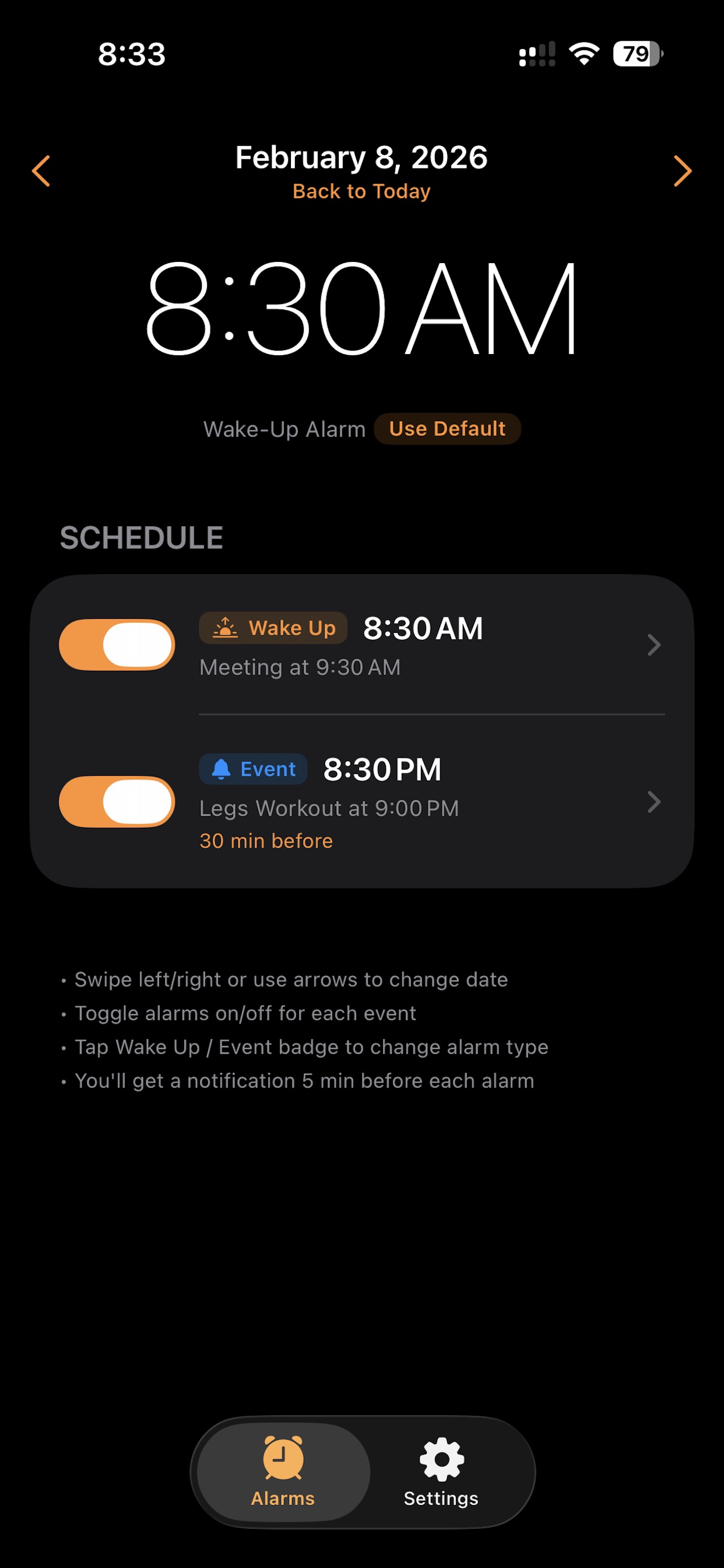
If your first meeting is at 9:30 AM, CalendarWake wakes you up on time based on your chosen prep window. If there is no event, it uses your backup wake time.
No manual alarms, no guesswork, just the schedule you already keep.
How it works
1. Connect your calendar
Grant access and CalendarWake reads events locally on your device.
2. Choose your prep time
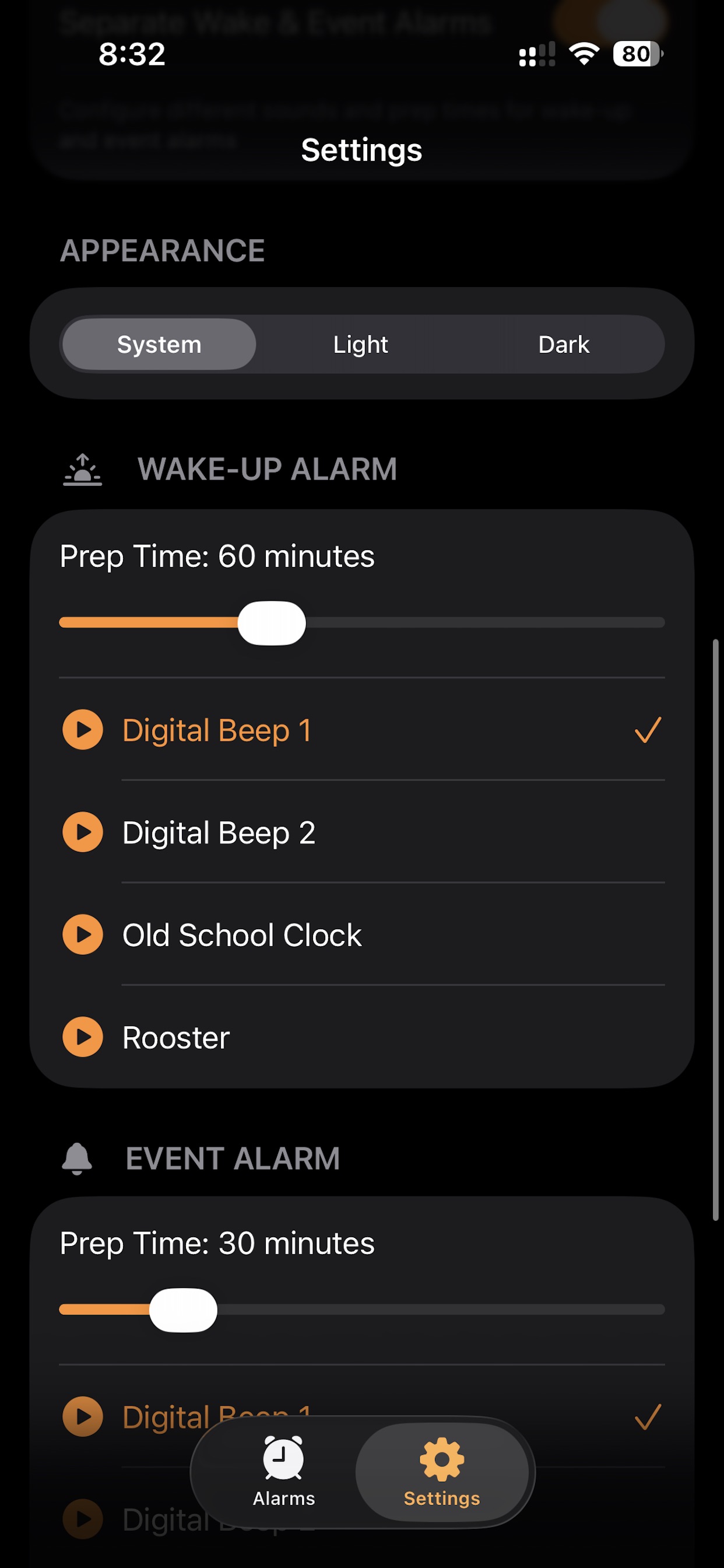
Set how early you want alarms to ring before each event.
3. Wake-up vs Event alarms
Mark the first alarm as Wake Up or keep it as an Event alert.
4. Default backup wake time
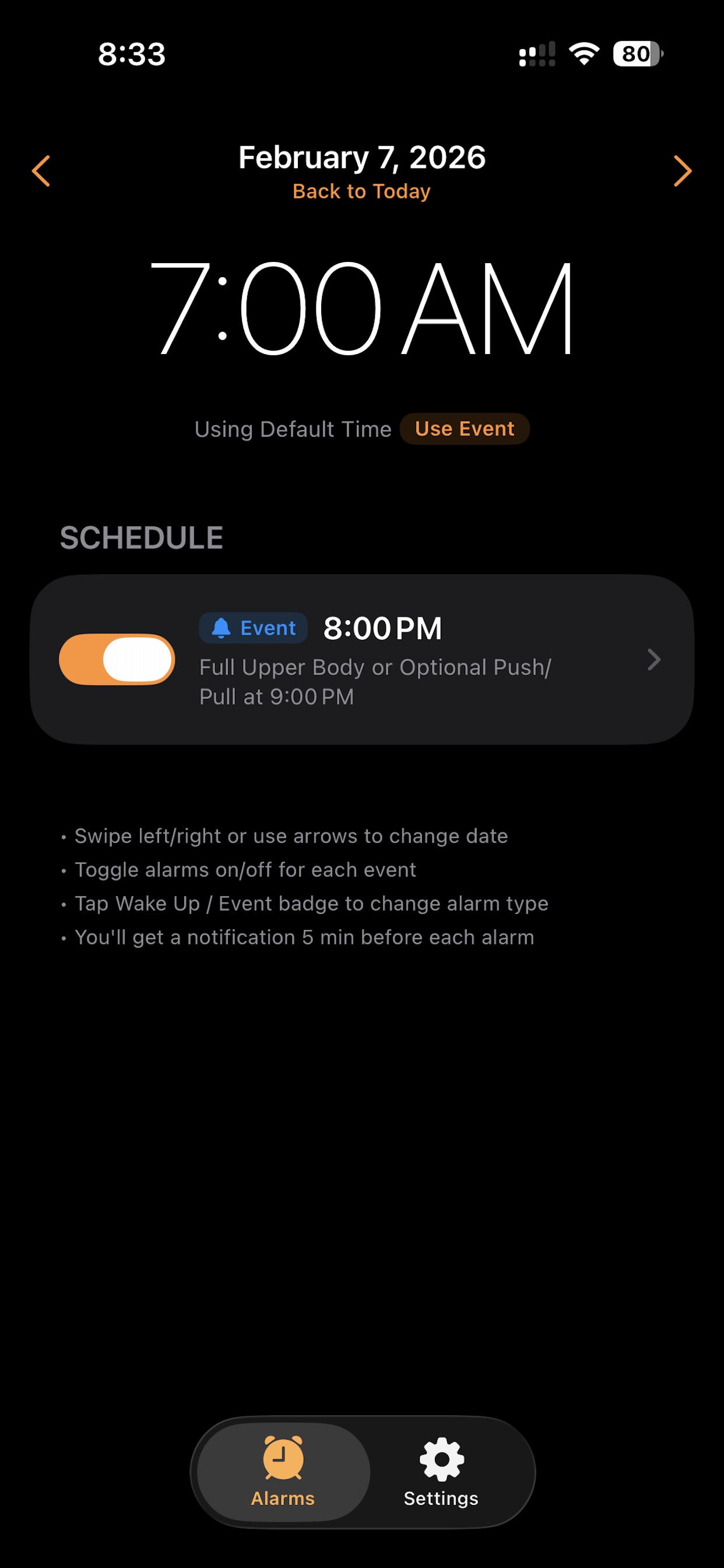
If your first event is late, CalendarWake uses your backup time.
Tap to expand details
Calendar-synced alarms
CalendarWake scans your selected day, filters out all-day events, and creates alarms for each event start time. You can toggle any event on or off, and the schedule updates immediately.
Wake Up vs Event alarm types
The first enabled alarm can be marked as a Wake Up alarm, while the rest remain Event alarms. This lets you assign different sounds and prep times for waking up versus heading to a meeting.
Backup wake time
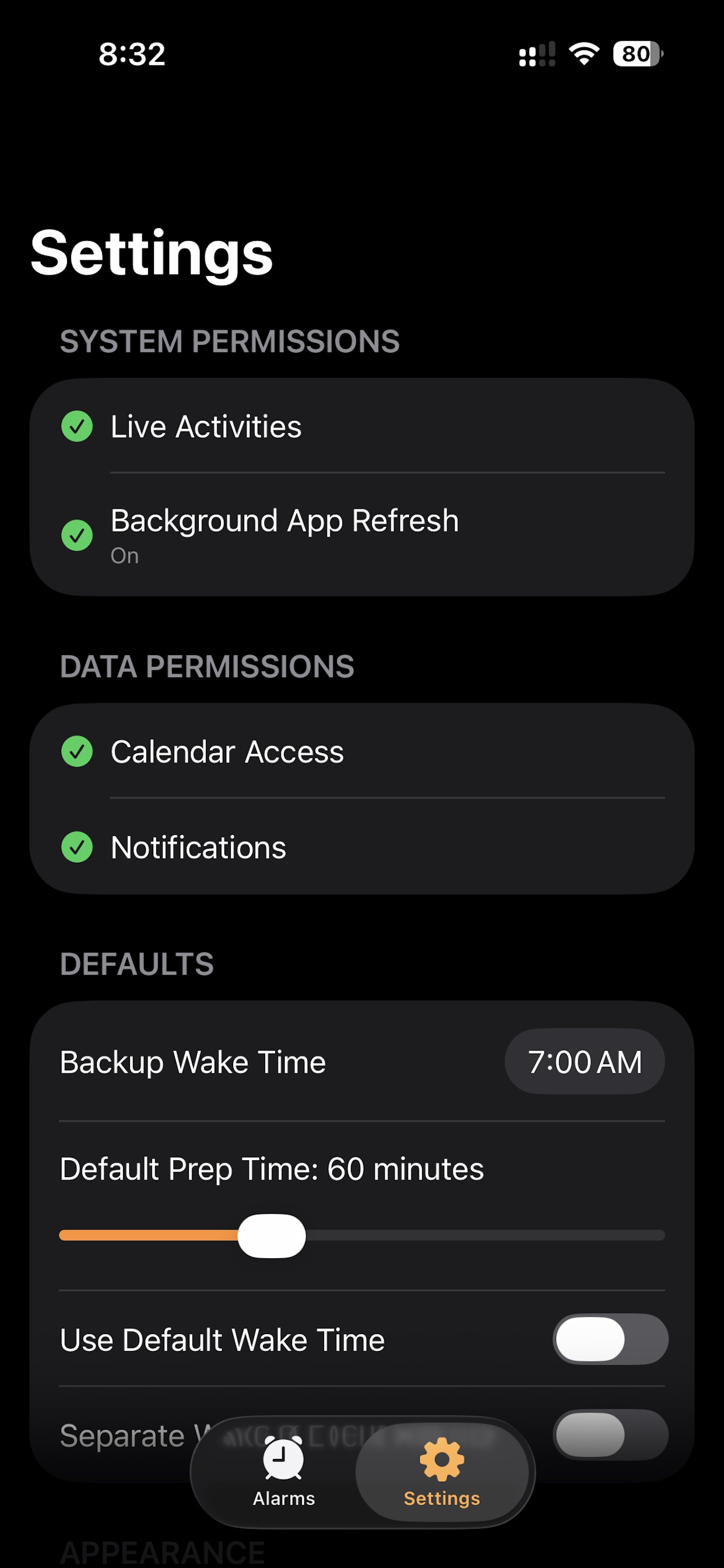
When your first event is late, CalendarWake can wake you at a consistent time instead of waiting. Set a backup wake time in Settings and toggle it on for the day.
Live Activity and Dynamic Island
See your next alarm countdown on the Lock Screen and Dynamic Island. The countdown starts one minute before the alarm and transitions into the alarm alert when time is up.
Pre-alarm check-in
Five minutes before an alarm, CalendarWake sends a notification. Long press it to keep or cancel the alarm if your plans change.
Per-event customization
Customize prep time and sound per event, or keep the global defaults. This is useful for important meetings or long commutes.
Settings and permissions
CalendarWake checks Live Activities, Background App Refresh, calendar access, and notification permissions to ensure alarms will ring.
Best practices for reliable syncing
For the best experience, add a CalendarWake widget to your Home Screen or Lock Screen. iOS refreshes widgets periodically, which gives CalendarWake an opportunity to check for calendar changes and update your alarms even when the app isn't open.
Also, try to avoid swiping CalendarWake away from recent apps. When the app stays in your recent apps list, iOS can wake it up instantly whenever your calendar changes. If the app is force-closed, syncing depends on iOS background task scheduling, which may be delayed.
App screenshots
Send feedback
Tell me what you like, what feels off, or any glitches you notice. This opens your email app with your message ready to send.
Prefer a direct email? Write me at afonsodemello1@gmail.com.